
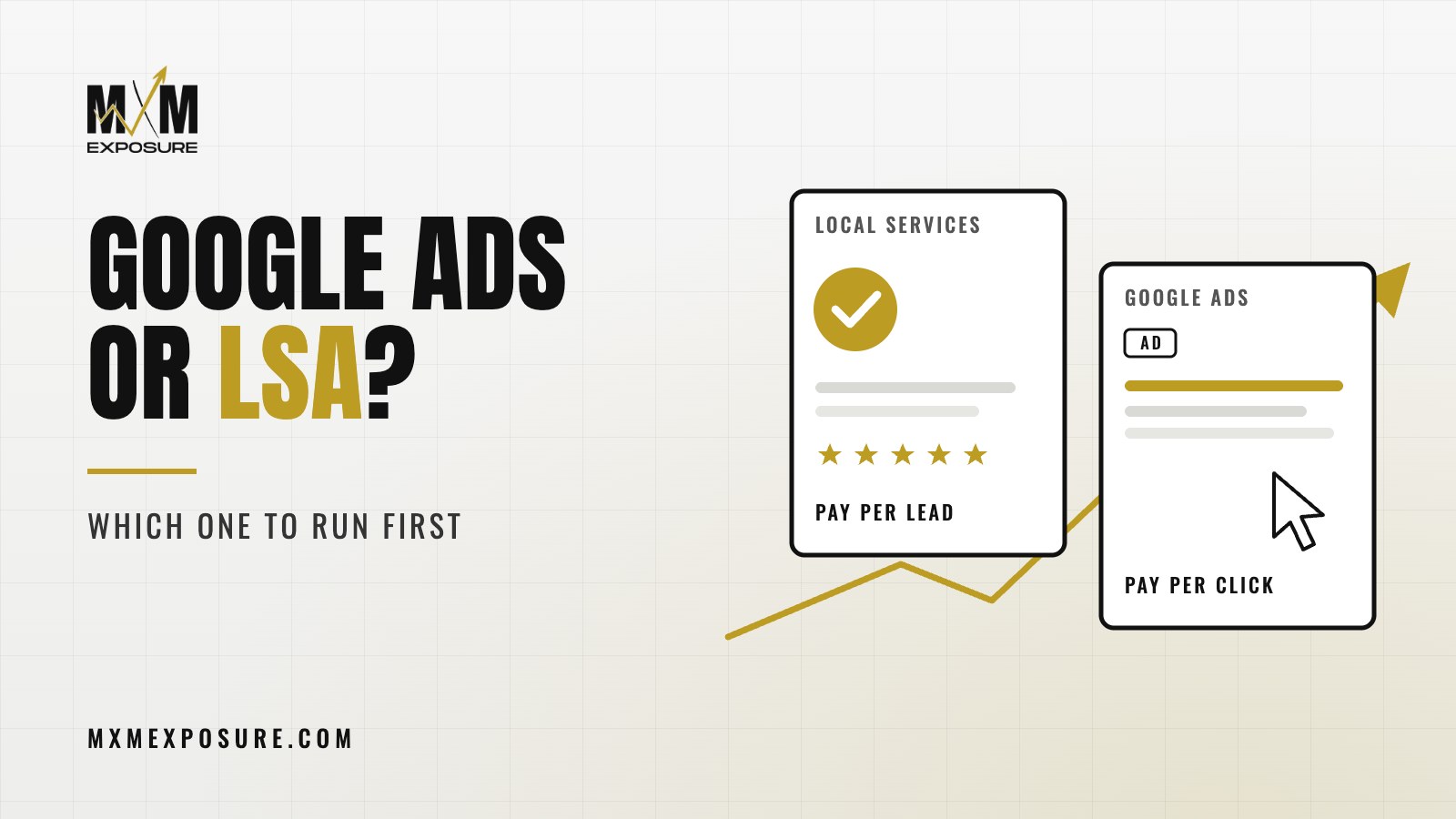
If you run a service business, you’ve probably seen both at the top of Google: the ads with a green checkmark and star ratings, and the regular text ads below them. One is Local Services Ads. The other is Google Ads. The question of Google Ads vs Local Services Ads comes up on almost every call I have with a contractor or a law firm, and the honest answer is that they do different jobs.
Key takeaways
- Local Services Ads charge you per lead. Google Ads charge you per click.
- Local Services Ads lean on your reviews, verification and responsiveness. Google Ads lean on your website and your landing pages.
- Where to start depends on your trade, your reviews, your website and how you handle leads.
- The two work best together, pointed at a website that’s built to turn visitors into calls.
How Local Services Ads work
Local Services Ads show at the very top of the results for a lot of service searches, like “plumber near me” or “divorce lawyer Nashville.” They’re the listings with your business name, your star rating and a badge showing Google has screened you.
A few things make them different:
- You pay per lead, not per click. You’re charged when someone calls or messages you through the ad. If a lead is clearly junk, like a wrong number or someone looking for a job, you can dispute it and Google may credit it back.
- You have to qualify. Google runs background, license and insurance checks depending on your industry and location. That takes time, so start the paperwork early.
- They’re only available for certain categories. Most home services and a growing list of professional services qualify. Not every business does.
- Your reviews and responsiveness matter a lot. Google looks at things like your distance from the searcher, your reviews, your hours and how fast you answer. Miss a lot of calls and you’ll show up less.
Local Services Ads also don’t give you much control over wording or design. You’re working inside Google’s format. What you control is your profile, your reviews, your budget, your service list and how quickly you pick up the phone.
How Google Ads work
Google Ads are the text ads you see at the top and bottom of search results. You choose the searches you want to show for, you write the ads, and you pay when someone clicks.
That control is the big advantage:
- You pick the exact services you want to promote, like “tankless water heater install” instead of plumbing in general
- You decide which towns and neighborhoods you want to show in
- You write the message and test different offers
- You choose the page each ad sends people to
That last point is the one owners underestimate. With Google Ads, the click lands on your website. If the page matches what they searched, loads fast and makes it easy to call, the click turns into a lead. If it doesn’t, you paid for a visit that went nowhere.
Google Ads vs Local Services Ads, side by side
The short version:
- What you pay for: Local Services Ads charge per lead. Google Ads charge per click.
- What drives results: Local Services Ads lean on reviews, verification and fast answers. Google Ads lean on keyword choices, ad copy and the landing page.
- Control: Local Services Ads give you less. Google Ads give you a lot.
- Setup: Local Services Ads need verification, which can take a while. Google Ads can launch quickly but need careful setup and tracking.
- Where people go: Local Services Ads keep most of the action on Google. Google Ads send people to your website.
Neither one is better across the board. They reach people at the same moment, the moment someone needs help and is ready to call, but they get there differently.
Not sure which ads fit your business? Our free Full Marketing Audit looks at your website, Google rankings, Google Business Profile, tracking and current ads, then sends you a written report with a ranked list of fixes.
So which one first?
Here’s how we think about it with a new client.
Start with Local Services Ads when
- Your trade qualifies and you can pass the screening
- You already have a healthy number of good Google reviews
- Someone answers the phone fast, every time, during business hours
- You want to keep things simple while the rest of your marketing gets built out
Start with Google Ads when
- Your business doesn’t qualify for Local Services Ads, or verification is still in progress
- You want to push specific, high value services, not your whole trade
- You have a website with strong service pages, or you’re ready to build them
- You want more control over where you show up and what you say
Run both when
You want to own more of the top of the page. A lot of our service clients run both, because they catch different people. Someone might skip the Local Services listing and click a text ad that mentions the exact job they need. Someone else might call straight from the Local Services listing because they trust the badge and the stars.
When both are running, your reviews, your Google Business Profile and your website all feed into how well each one performs. That’s why we never look at ads in a vacuum.
What both of them need to work
Whichever you start with, the same few things decide whether you get your money’s worth.
Reviews. Your star rating shows on Local Services Ads, and people check reviews before they call no matter which ad they clicked. If you’re light on reviews, read our post on how many Google reviews you really need.
A website that converts. Google Ads send people straight to it, and plenty of Local Services Ads shoppers look up your site before they call. If the site is slow, vague or hard to use on a phone, both kinds of ads suffer. We covered the common problems in seven signs your website is costing you leads.
Fast answers. A missed call from an ad is money you already spent. If nobody can answer during the day, set up call forwarding or an answering service before you turn ads on.
Tracking. You need to know which ad brought in which lead, and what each lead cost. Without that, you’re guessing. We wrote about the five numbers that matter in a marketing report, and cost per lead is one of them.
Ads don’t fix a weak website. They just send more people to it. Get the site, the reviews and the phone handling right, and every ad dollar goes further.
Justin Cahoy, founder of MXM Exposure
Mistakes that waste ad budget
We see the same ones over and over:
- Sending every Google Ads click to the home page instead of a matching service page
- Showing ads for searches that don’t fit, like “plumbing jobs” or “DIY drain cleaning”
- No call tracking, so nobody knows which calls came from ads
- Ignoring lead disputes on Local Services Ads, so junk leads never get credited
- Letting voicemail catch calls during business hours
- Turning ads off and on every few weeks, so they never settle in
None of these mean ads don’t work. They mean the system around the ads needs work.
How our team handles this
At MXM Exposure, our team runs Google Ads, Local Services Ads and Meta ads as part of one plan. We set up the tracking first, so every call and form fill gets counted. We build or tune the landing pages your ads send people to. We help you build a steady flow of reviews, keep your Google Business Profile in shape, and dispute bad leads so you’re not paying for them.
You can read more about how we run paid ads. Our reports show leads and cost per lead in plain English.
If you want a straight answer on where your ad budget should go first, start with our free Full Marketing Audit. We’ll look at your website, reviews, Google Business Profile, tracking and any ads you’re running now, and send you a written report with a ranked list of what to fix first.